
Did you make a huge investment in a high-resolution professional box camera but are still frustrated by poor image quality? It’s a problem for many, as a C mount CCTV lens requires manual calibration and adjustment for capturing high-quality, sharp images. Unlike consumer-grade cameras, which are just plug-and-play. The C-mount lenses are a professional tool that deliver clarity only after manual calibration (adjusting focus, aperture, back focus, etc.). Therefore, don’t get disappointed easily, thinking you have wasted money and it’s not worth it, because it is worth it. Just adjust its functionality a little to see the magic.
The manufacturer or supplier you buy such lenses from plays a crucial role. With proper guidance and support in place, the properties of the C mount CCTV lens have been explained to you. As a result, you haven’t faced this problem in the first place, or wasted time thinking it’s a waste of your money. Therefore, this blog is your guide to being part of the adjustment. So you can capture a breathtaking view without missing any detail and get a great deal of money.
Understand Your Glasses To Differentiate Why Manual Lenses Varied
Understanding the “Zoom-focus” technique that professional installers use to ensure the security footage is crystal clear in high quality. Pictures captured by these CCTV lens cameras will come out with a matching resolution of 4k. It follows that your camera sensor is as good as the glass in front of you. Meaning you can have a $500 4K camera, but if you put a cheap lens in front of it. The result will always be a low-resolution, blurry image. Doing this immediately degrades the performance of a high-quality camera. The picture quality can be as clear as the camera’s megapixels.
As the megapixel isn’t just for a camera. It’s a lens’s ability to capture finer details (measured in line pairs per millimeter), so when you zoom, the image stays as sharp as before. Megapixel lens manufacturers understand this precision and have built high-quality C-mount CCTV lenses that are ground to higher precision. This robust building protects the center of the lens when using standard lenses. Keep the center in focus while blurring the edges. Check out the difference in the table below.
| Feature | Standard Fixed Lens (Consumer) | C Mount CCTV Lens (Professional) |
|---|---|---|
| Focus Adjustment | Fixed / None (Pre-set at factory) | Manual (Fully adjustable rings for precise sharpness) |
| Field of View | Static (Cannot zoom in or out) | Varifocal (Adjustable zoom to frame the shot perfectly) |
| Resolving Power | Standard Definition (Often blurry at edges) | High Definition (Engineered by Megapixel Lens Manufacturers for edge-to-edge clarity) |
| Light Handling (Iris) | Fixed Aperture (Struggles in changing light) | Manual or DC Auto Iris (Dynamically adjusts to bright sun or low light) |
| Build Quality | Plastic/Composite | Metal Alloy & Glass (Heavy-duty, vibration resistant) |
| Sensor Compatibility | Specific (Built for one specific sensor) | Universal (Can be moved to different cameras as you upgrade) |
| Best Application | Small rooms, general overview | License plate reading, long-distance, industrial monitoring |
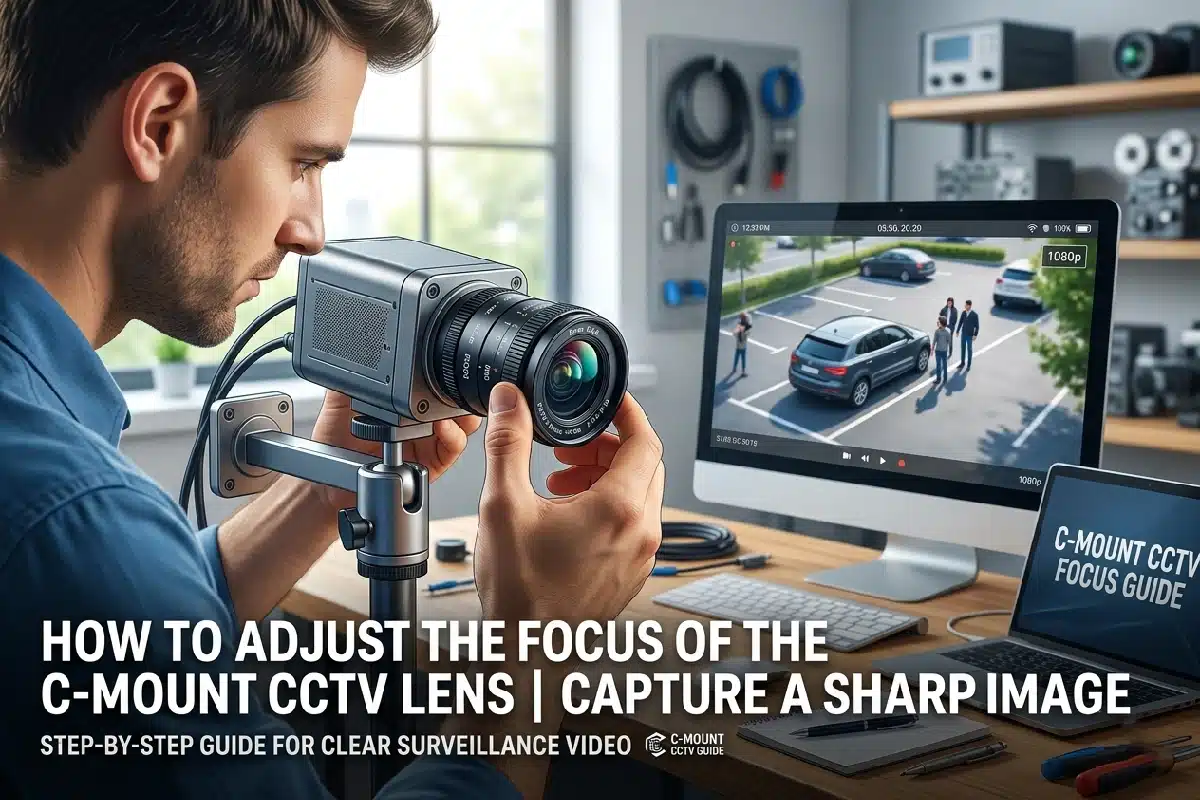
Step-by-Step “Zoom-In” Technique for Perfect Focus
Now, when you understand the power and difference of C-mount lenses compared with standard CCTV lenses. It’s time to understand how to adjust a manual lens, unlike an autofocus camera that does the work for you. A common mistake made by professionals is trying to get the view first and adjusting the focus later. Which, on the surface, looks good, but displaying it on a large screen or 4K monitor degrades image quality.
Therefore, to utilize the CCTV camera varifocal lenses to their full capabilities and achieve razor-sharp image clarity. You must follow the “Golden Rule” of back focusing. Let’s look at the proven workflow to calibrate your lens like a professional.
1. Unlock the Mechanisms
Find the two small screws on the lens. One controls the Zoom (marked W-T for Wide/Telephoto) and the other screw controls the Focus (marked N–∞ for Near/Infinity). After locating these screws, loosen both of them to the point that the rings can turn smoothly but still provide a little resistance.
2. Open the Iris (The “Pro” Secret)
If your lens has a manual iris, open it all the way. However, if it’s an auto-iris lens, perform the same setup in low light or in shade. Doing it in shade is advice to maintain a shallow depth of field, which makes focus errors easier to see. So you can adjust more precisely.
3. The Golden Rule: Zoom All the Way In
Rotate the zoom ring to T (Telephoto). Zoom in as close as possible on your subject, even if it’s tighter than your final shot.
4. Find the Critical Focus
With the lens fully zoomed in, adjust the focus ring. Look for fine details such as a license plate, brick texture, or tree leaves, then gently move the ring. Until those details look perfectly sharp to you.
5. Zoom Out to Frame Your Shot
Slowly turn the zoom ring back towards W (Wide) until you get the field of view you want. Because most CCTV variable lenses are parfocal. Meaning the sharp focus you set while zoomed in will be locked when you zoom out.
6. Lock It Down
Once you’re happy with the image and it seems perfect to you, carefully tighten the screws again. Don’t overtighten it, as it can shift the glass slightly. Watch the monitor as you tighten to make sure the focus doesn’t drift and you’re good to go.
Wrapping It Up!
A sharp, crystal-clear image results from 50% camera and 50% lens adjustment. Therefore, a C mount CCTV lens needs to be fixed carefully, following the exact steps provided above, to ensure you don’t compromise image quality. Once you ensure that the proper changes are made, you will have the desired view you imagined from an expensive camera box. Which will make you feel that every penny is worth it.
However, if there is still a focus problem, you might need to adjust the “Back Focus” ring on the camera body. This will surely fix the problem, but if it’s still causing problems, you can contact the Superior CCTV experts anytime. So get your C mount CCTV lens today only from us and get services to make the work easy.
FAQs
Why is my C-mount lens still blurry at night, even though it looks clear during the day?
This is likely happening due to “Focus Shift.” Infrared light has a different wavelength than visible light, which is why these changes appear. To fix it, always perform your final focus adjustment in low-light conditions or use an IR-corrected lens.
State the difference between C-mount and CS-mount lenses?
The major difference between these two lenses is the distance between the lens and the sensor. A C-mount lens requires a 5mm adapting ring to fit on a CS-mount camera. Otherwise, the image will never focus.
Does SuperiorCCTV offer technical support if I can’t get my camera focused?
Yes. We provide free lifetime technical support for all products purchased from us. Our US-based experts can walk you through the installation and configuration process over the phone.
Do you offer discounts for security installers or bulk buyers?
Absolutely. We have a dedicated dealer program that offers tiered pricing, priority shipping, and exclusive offers for registered security professionals and installers. Contact us to apply today!
How fast will my order ship if I need a replacement lens urgently?
We understand security is urgent. Therefore, we ensured that orders for in-stock items are placed before 3.00 PM EST, which typically ship the same day. Ensuring you get your equipment exactly when you need it.